Free
Tick it from your Home Screen
Use Home Screen widgets to complete simple habits without opening Ticked. Add Lock Screen widgets for a quick view of your habits. Set reminders at the times that suit you.
Screenshots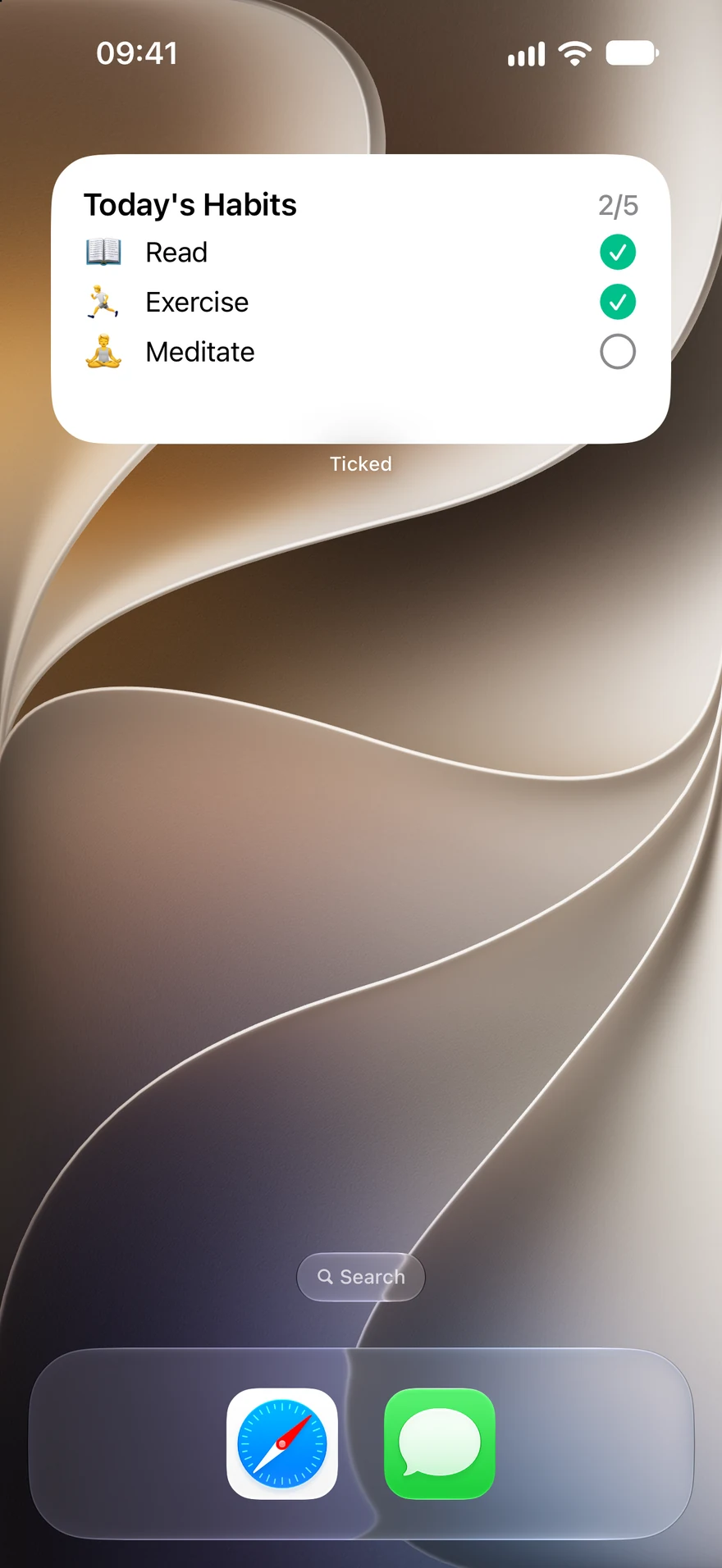
 Ticked
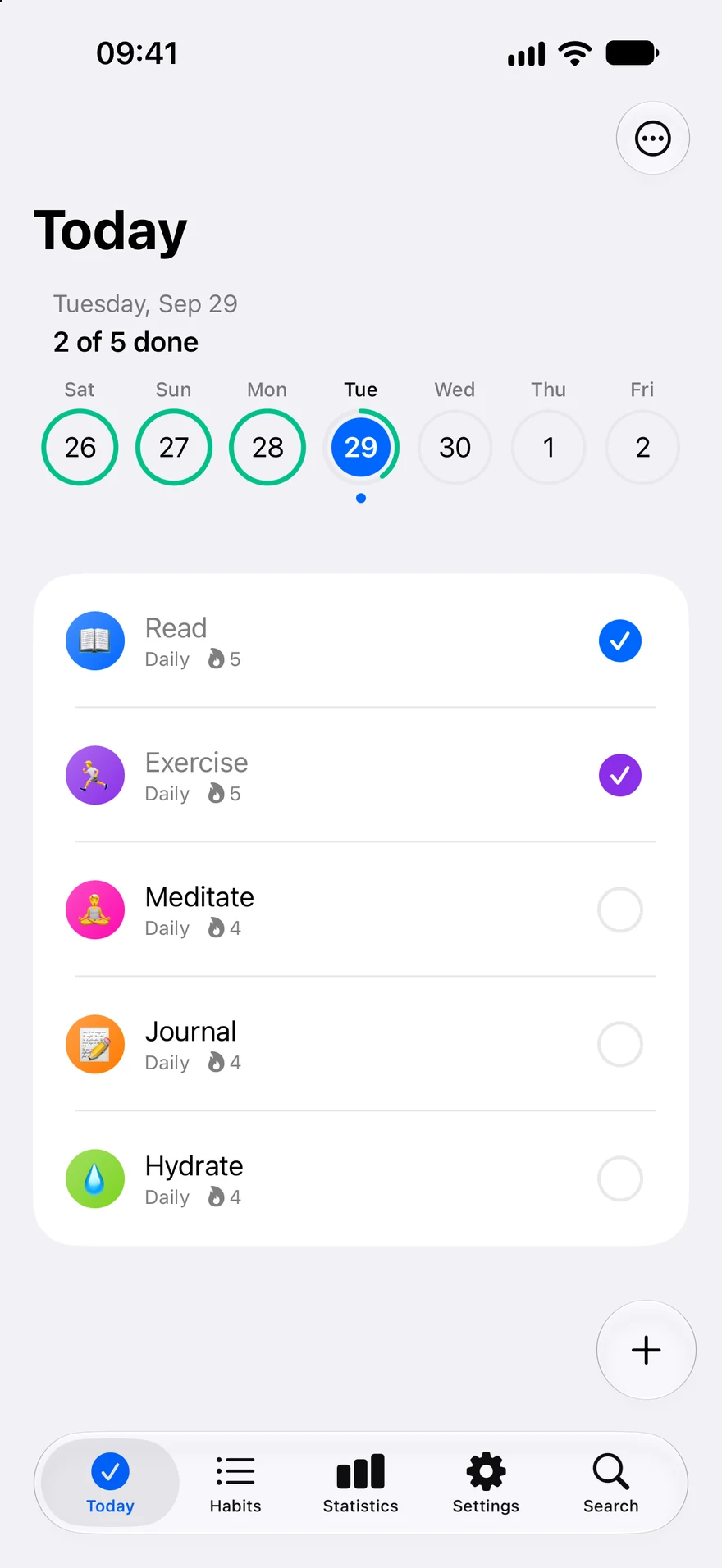
Build your daily routine with a simple habit tracker. Tick what you did, see your progress, and get on with your day.
For iPhone · iOS 26 or later
Features
Free
Use Home Screen widgets to complete simple habits without opening Ticked. Add Lock Screen widgets for a quick view of your habits. Set reminders at the times that suit you.
ScreenshotsDetailed insights with Ticked Pro
Review the last seven days of recorded completions for free. Open a habit to see its recent activity. With Ticked Pro, explore detailed streaks, completion rates, and a monthly activity calendar.
Screenshots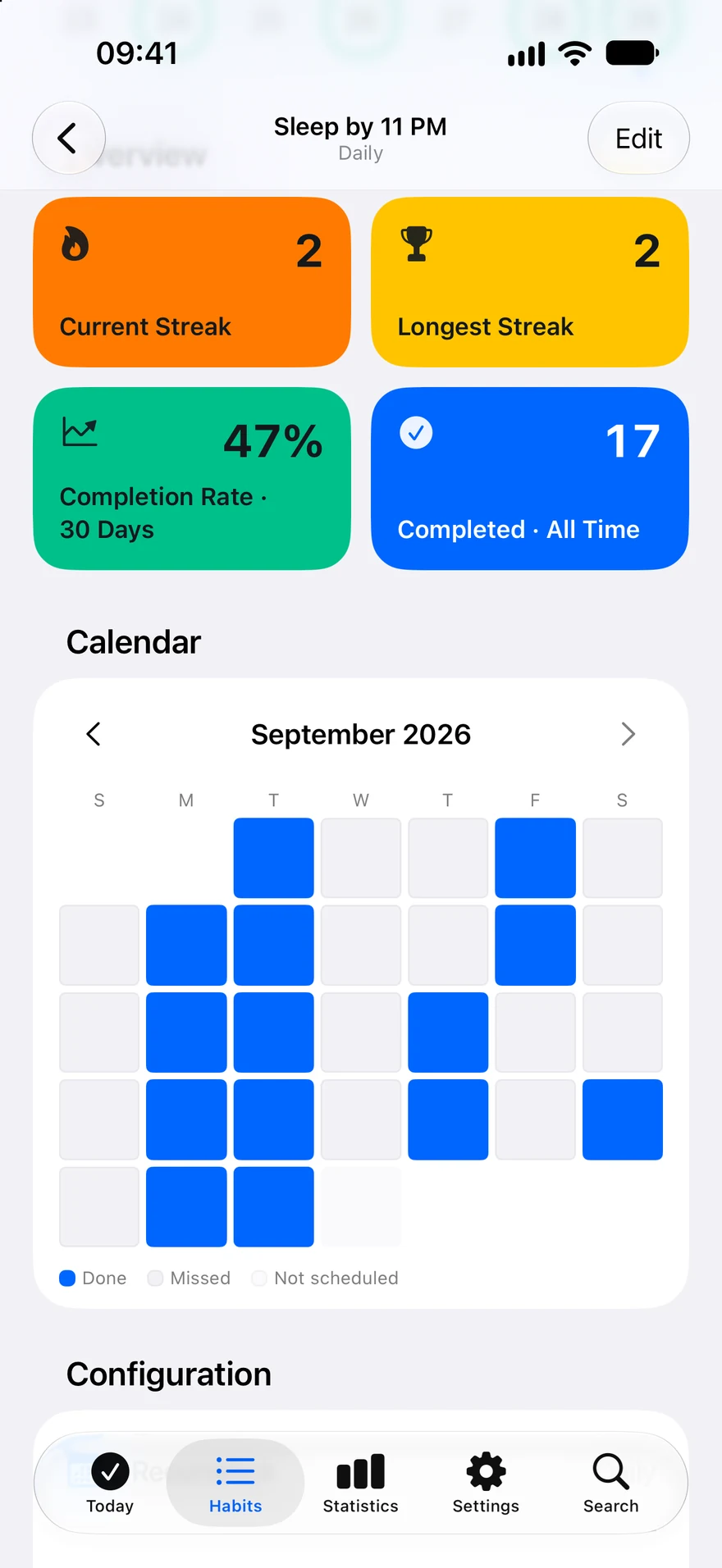
Free
Create a habit step by step with a live preview. Use a simple checkmark, count glasses of water or pages read, or break a routine into a checklist.
Schedule daily or weekly habits for free. Use colors, emojis, and a category to organize your routine. Find habits and categories in the dedicated Search tab. Pro adds monthly and every-N-days schedules, more colors, and unlimited categories and reminders.
Screenshots
Ten views of everyday routines. Select a screenshot to take a closer look.
See your habits. Tick your progress.
Interactive widgets, included free.
Streaks and a calendar for every habit.
Detailed insights with Ticked Pro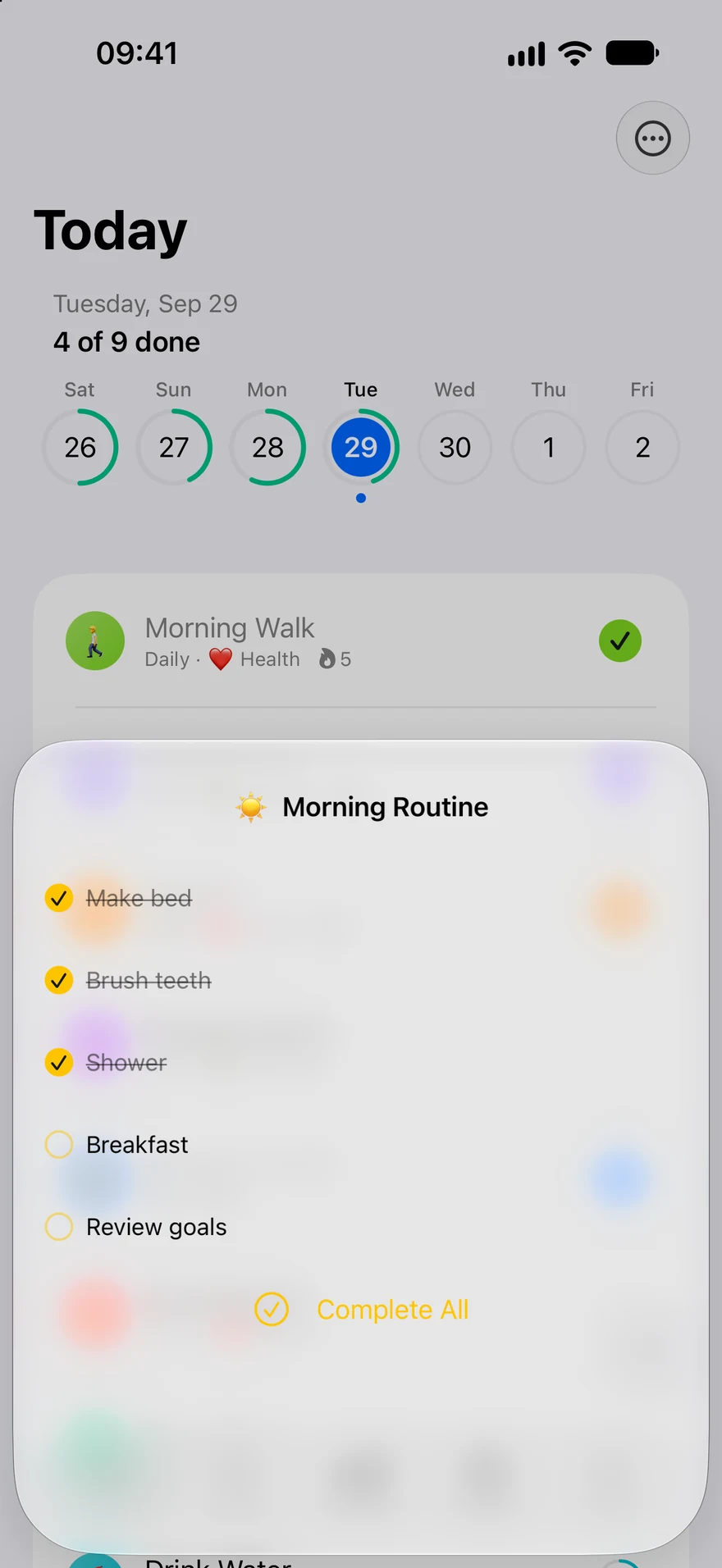
Keep small tasks together in a checklist.
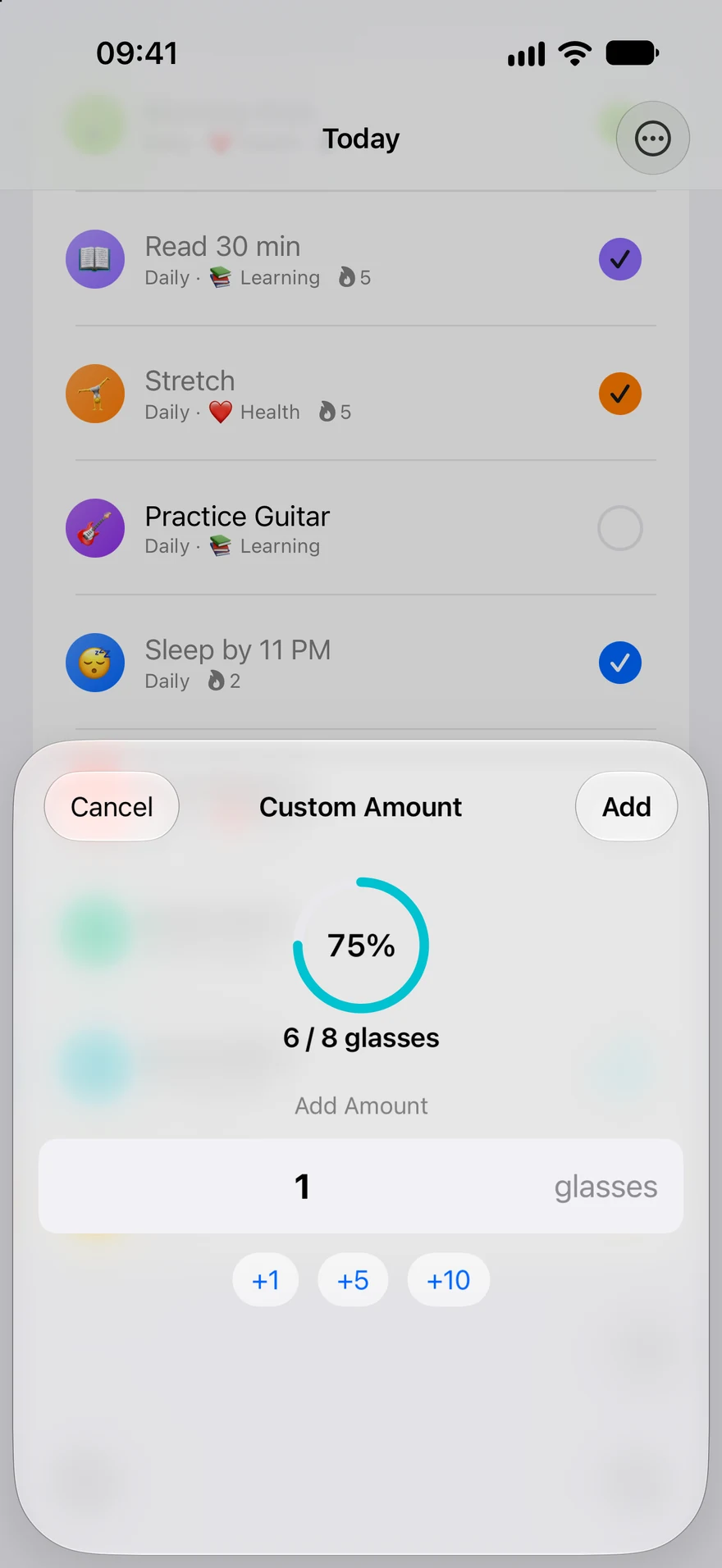
Track water, pages, minutes, and more.
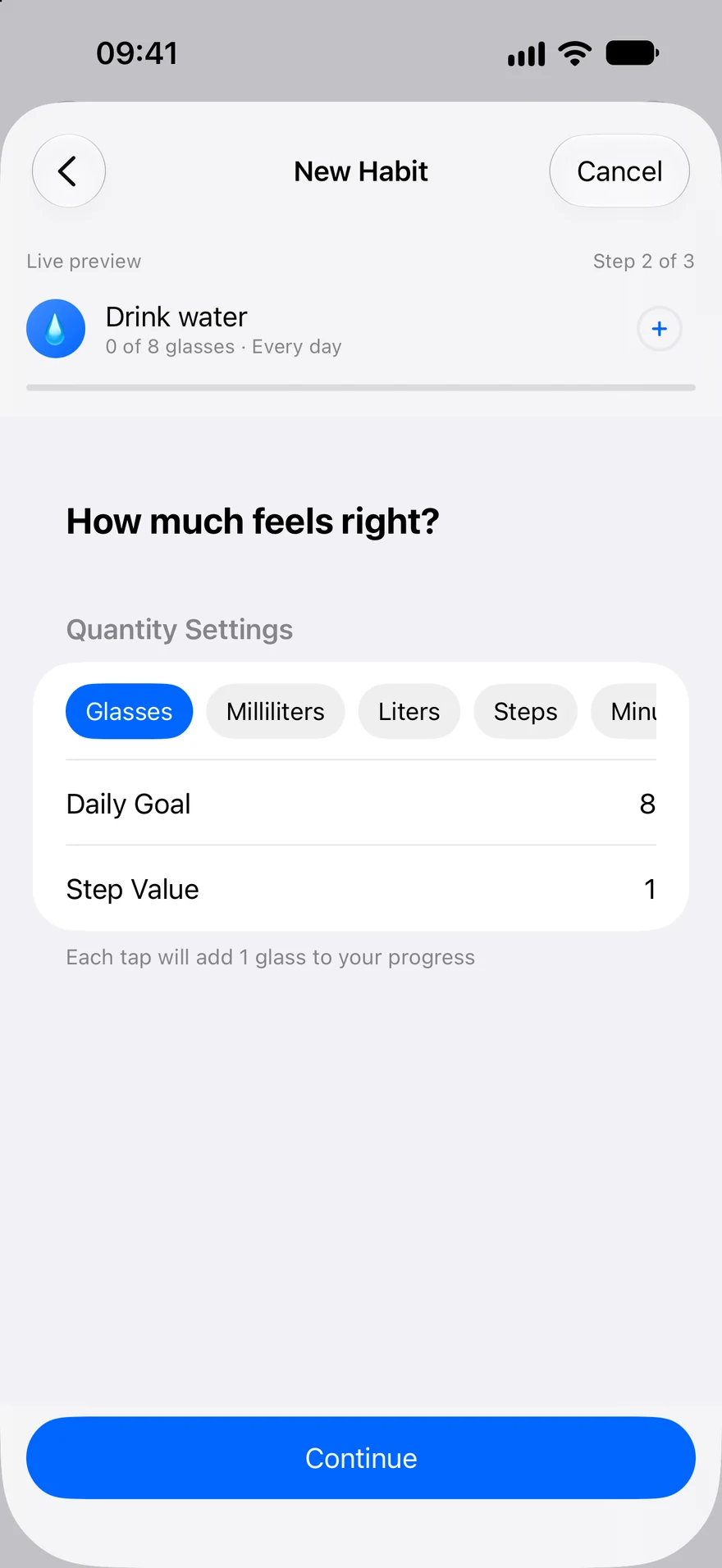
Guided setup with a live preview.
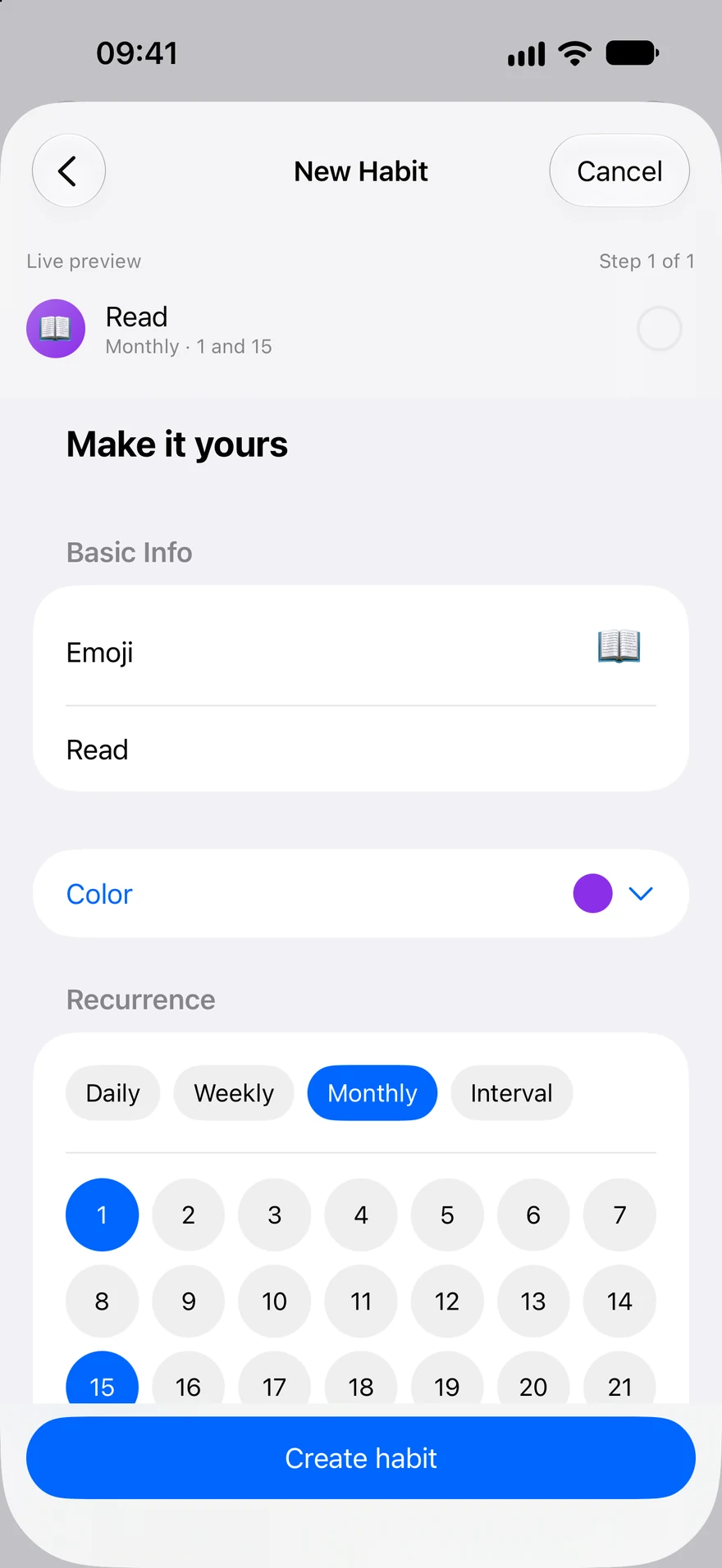
Daily and weekly free. More schedules with Pro.
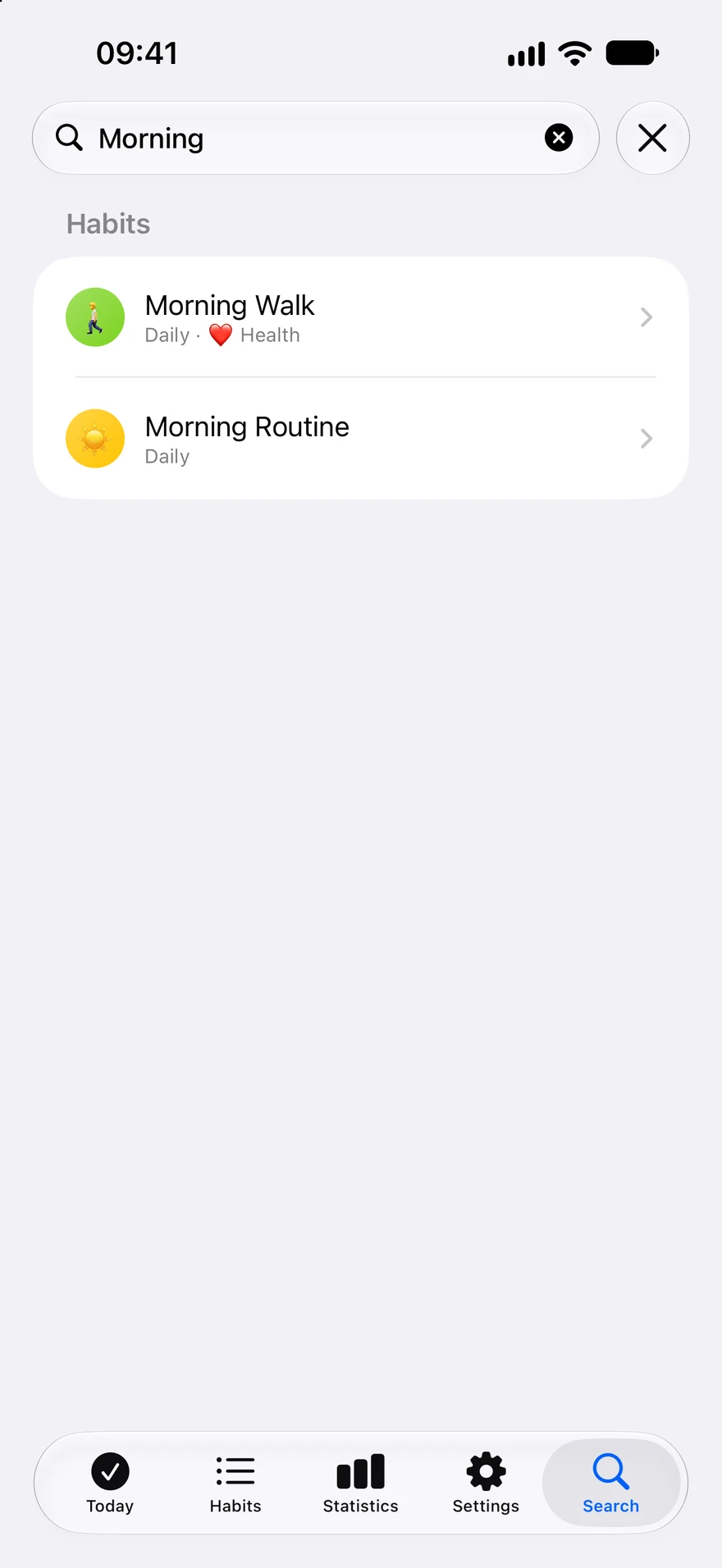
Search habits and categories in one place.
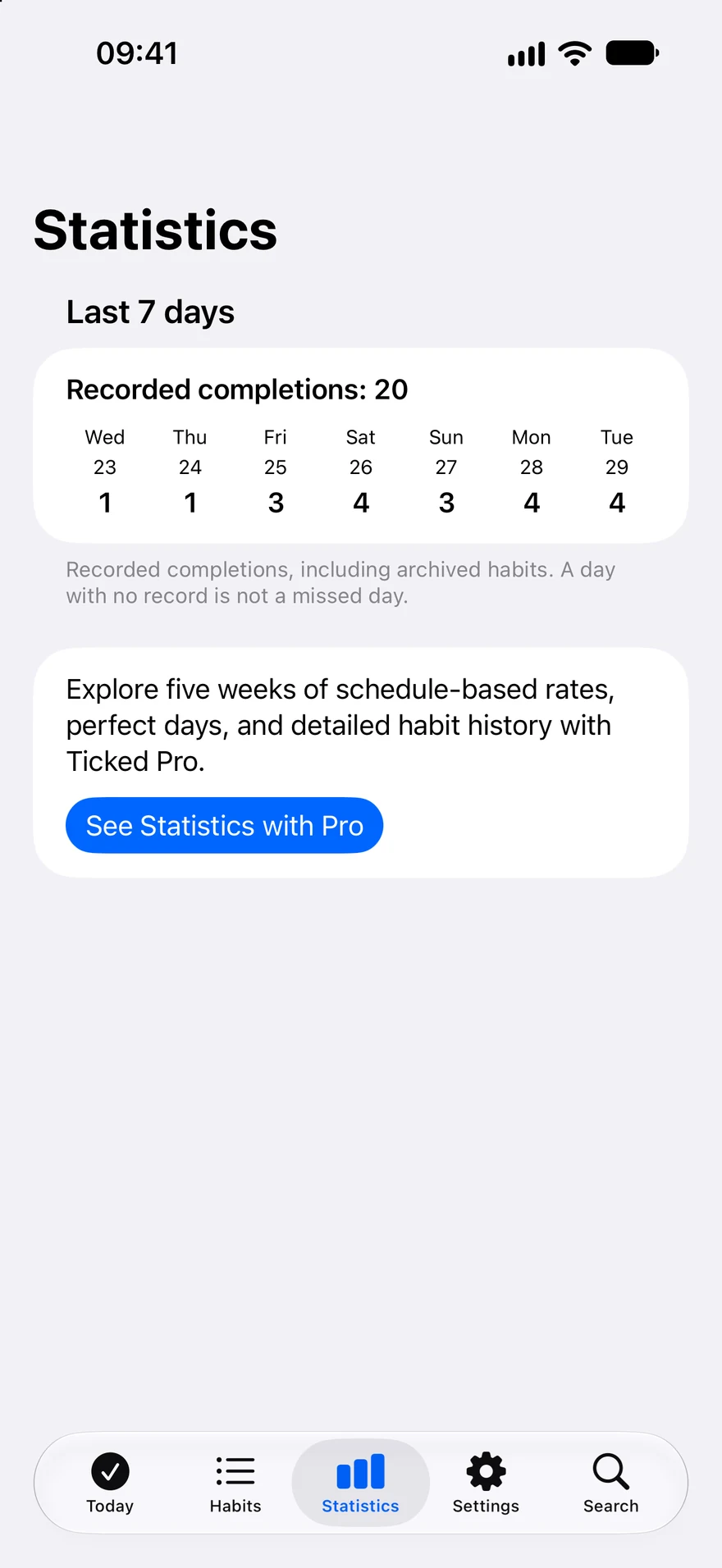
Review seven days of completions, free.
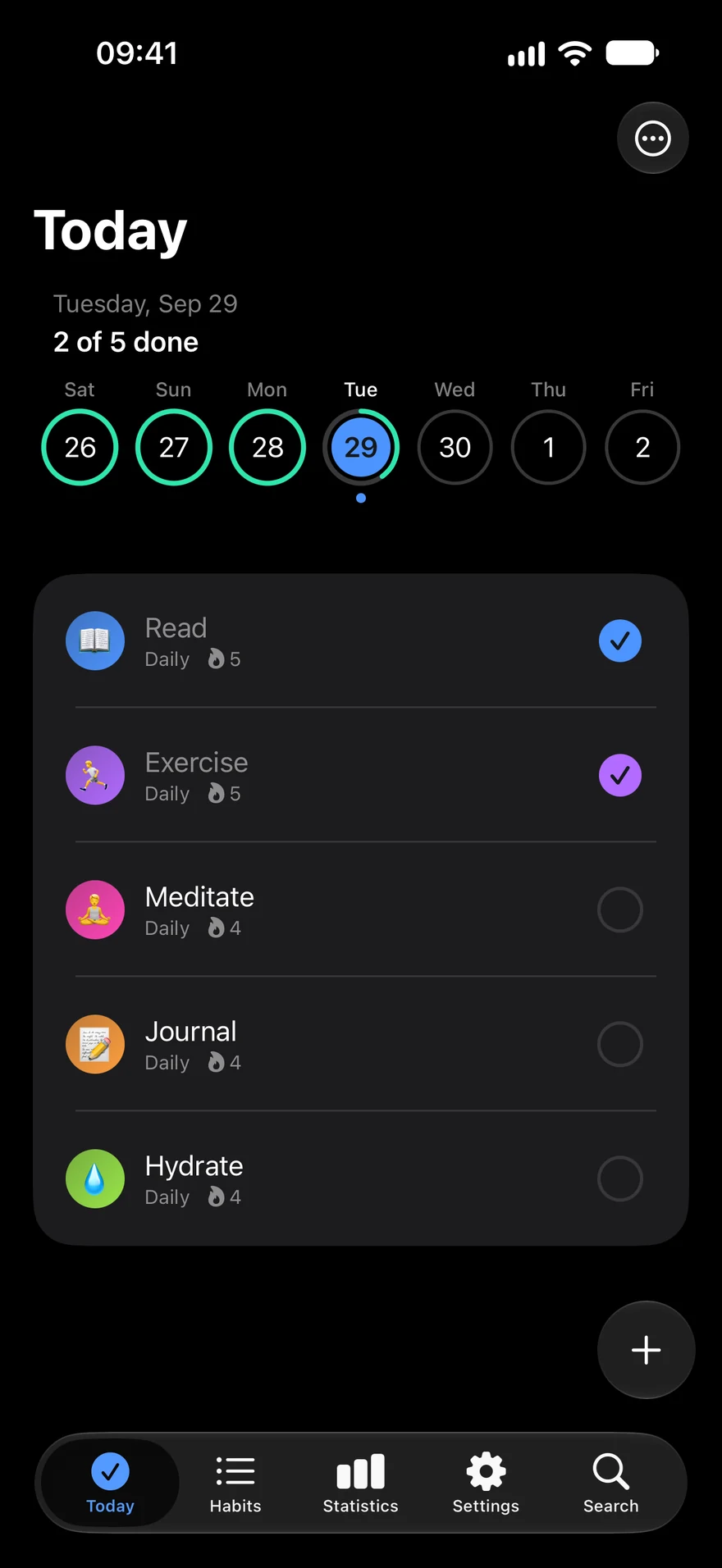
Colors, emojis, and a calmer dark mode.
Screenshots show example habits.
Free & Pro
See available plans and local prices in the app before purchase.
NO ACCOUNT REQUIRED
View on the App StoreUnlock unlimited habits and advanced habits, detailed statistics, monthly and interval schedules, the full color palette, and more categories and reminders. Available plans and local prices are shown in the app before purchase.
See available plans and local prices in the app before purchase.
View on the App StoreQuestions
Track up to five habits, including up to two quantity or checklist habits. Daily and weekly schedules, one reminder per habit, Home Screen and Lock Screen widgets, and iCloud sync are included.
Use Home Screen widgets to complete simple habits without opening Ticked. Add Lock Screen widgets for a quick view of your habits. Set reminders at the times that suit you.
Unlock unlimited habits and advanced habits, detailed statistics, monthly and interval schedules, the full color palette, and more categories and reminders. Available plans and local prices are shown in the app before purchase.
Use Ticked without creating an account. Habit data can sync through your private iCloud account. See our privacy policy for details about app analytics and purchases.
Privacy policyFor iPhone · iOS 26 or later
Manage Ticked Pro in Settings → your Apple Account → Subscriptions. Restore purchases in Ticked using the Apple Account used to buy Pro. Apple handles refunds.
Help & supportFree, with optional Ticked Pro